
How a QR Code in the Room Saves Your Front Desk Hours Every Week
Learn how a QR code in a hotel room can reduce repetitive guest questions, make information available 24/7, and save your front desk hours of work every week.
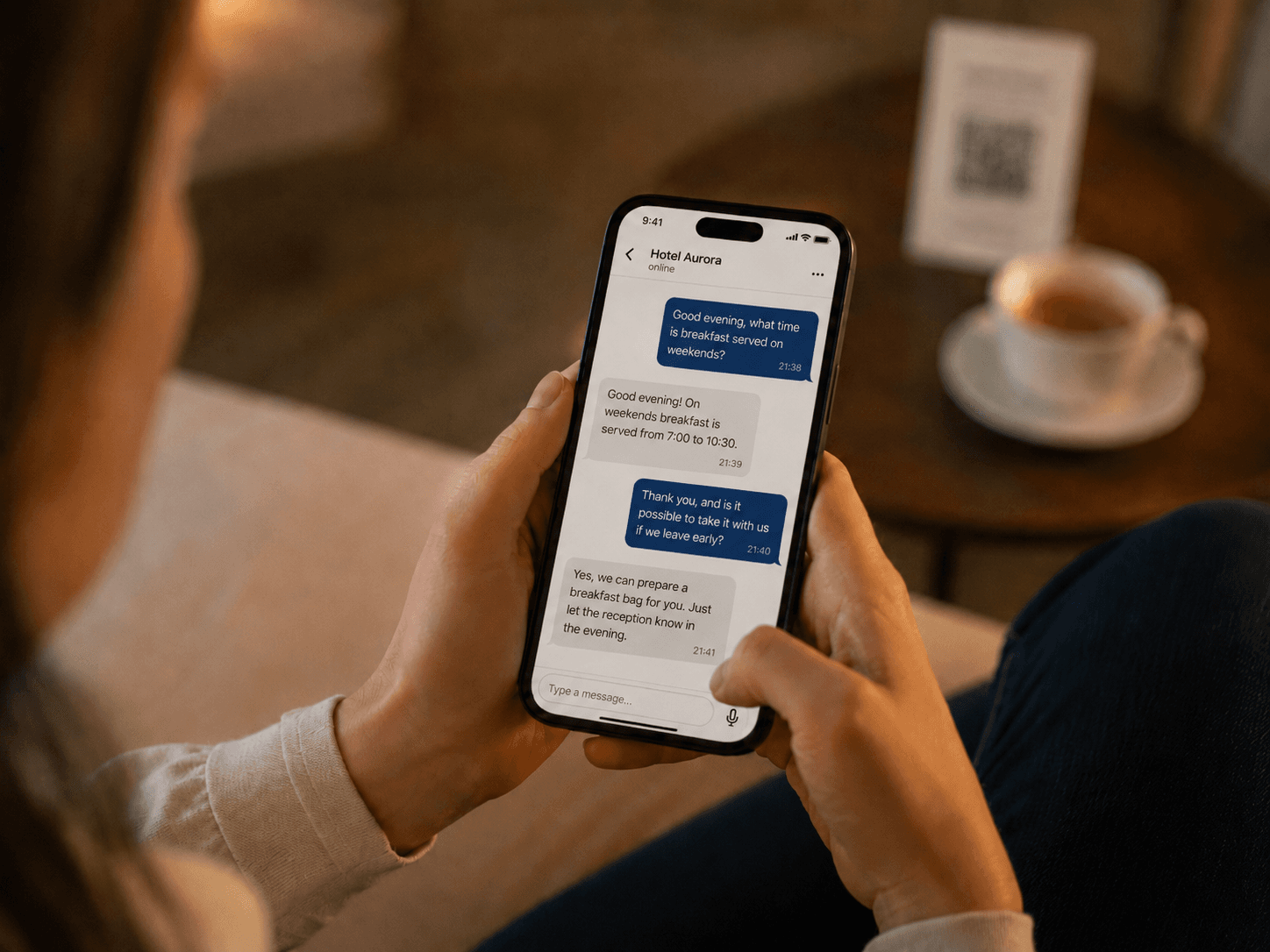
A QR code in a hotel room can give guests instant access to Wi-Fi details, breakfast times, parking rules, check-out instructions, room amenities, and local recommendations. When it leads to a well-designed digital guide, it cuts down on repetitive questions and saves time for both the front desk and the property owner.
A QR code alone, however, doesn't solve anything.
It's just a gateway. Its value depends entirely on what opens after the guest scans it and how easily they can find the answer they need.
A well-implemented QR code connects a specific physical location to relevant digital information. The guest scans the code in their room and within seconds learns how to connect to Wi-Fi or when breakfast is served.
A poorly implemented QR code leads to a lengthy PDF, a cluttered website, or outdated instructions. The guest ends up calling the front desk anyway.
Why do guests keep asking the same questions?
Anyone who runs a hotel, guesthouse, or vacation rental knows these questions well:
- What's the Wi-Fi password?
- Where can we park?
- What time is breakfast?
- What time is check-out?
- How do I use the air conditioning?
- Is there somewhere we can store our luggage?
- How do we get back into the building at night?
- Where can we take the kids if it rains?
- Where's the nearest restaurant or pharmacy?
Guests don't ask because they're careless or helpless.
They're in an unfamiliar place and need a quick answer to a specific question.
The information usually already exists somewhere. It might be:
- in the confirmation email,
- in the arrival instructions,
- on the property's website,
- in a paper folder in the room,
- in an automated message from the booking platform,
- on a sign next to the front desk.
From the operator's perspective, the information has been communicated. From the guest's perspective, it's not available when they actually need it.
If finding the answer takes longer than sending a message to the front desk, the guest will simply ask.
Information that a guest can't find quickly has practically the same value as information they were never given.
How much time do repetitive questions take?
A single answer usually takes just a couple of minutes.
A receptionist reads the message, figures out the context, replies, and gets back to their previous task. The interaction itself can be short.
But individual questions add up throughout the day.
Consider a property that receives 15 routine informational questions a day. If each one takes about two minutes on average, that's half an hour per day.
Over a week, that's three and a half hours of work.
If each question takes three minutes, the weekly total already exceeds five hours.
This is just a rough estimate. The actual time saved depends on the size of the property, the number of guests, the season, and the type of operation.
But the principle is straightforward:
Significant time loss often doesn't come from one big problem, but from dozens of small interruptions throughout the day.
Technology in hospitality doesn't need to automate the entire operation to be valuable. A study on technology adoption in hospitality describes how it can improve services, operational processes, and guest access to information. At the same time, it points out that technology must be properly integrated into the specific property's workflow.
How does a QR code in the room work?
The guest sees a card, sticker, or stand with a QR code and a brief explanation, for example:
Need the Wi-Fi password, stay details, or local tips? Scan the QR code.
After scanning, the property's digital guide opens in the guest's mobile browser.
The guest shouldn't have to install anything, create an account, or enter a reservation number. The more steps required before they get an answer, the less likely they are to actually use the self-service option.
A digital guide can include:
- Wi-Fi information,
- breakfast times,
- parking rules,
- check-in and check-out instructions,
- room equipment guides,
- wellness or other service information,
- house rules,
- important contacts,
- recommended restaurants,
- trips and activities nearby.
The U.S. government portal Digital.gov describes QR codes as a tool that connects a physical location or process with digital content. Among suitable use cases, it lists guides, supplementary information, and content tied to a specific location.
It also notes that a QR code isn't automatically appropriate for every situation. It must have a clear purpose, and the user must know what they'll get after scanning it.
A QR code is not an information database
A QR code typically just opens a specific web address.
All the information is stored in the digital guide or another system that the code links to.
This matters for a practical reason: the content behind the QR code can be updated without printing a new code.
If any of the following change:
- breakfast time,
- Wi-Fi password,
- parking rules,
- contact number,
- a recommended restaurant,
- arrival instructions,
the operator updates the information in the system and guests immediately see the new version.
The QR code in the room stays the same.
Why isn't a paper manual enough?
A paper manual can still be useful. For some guests, it's even more appealing than yet another screen.
But it has several limitations.
Information is harder to update. Every change requires editing the document, reprinting it, and replacing it in every room.
Paper also makes it difficult to offer content in multiple languages. The more language versions it contains, the longer and harder to navigate it becomes.
A digital guide can:
- display content in the guest's language,
- offer search functionality,
- include maps and directions,
- show photos or video tutorials,
- link to bookings and other services,
- keep information continuously updated,
- show the operator which information guests are looking for.
A paper manual presents all information at once. A digital guide can help the guest find the one answer they need.
This doesn't mean paper has to disappear from the room entirely. For many properties, a combination of both will work best.
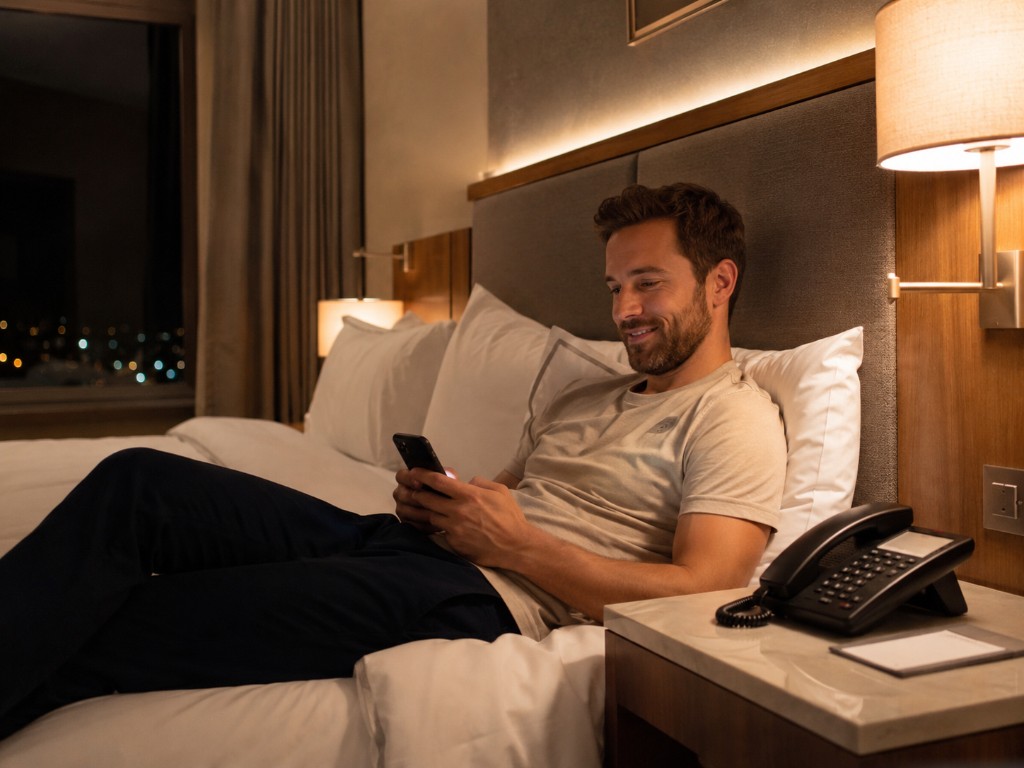
Guests don't want to "use technology"
An operator might see the solution as digitalization, automation, or AI implementation.
But guests don't think in those terms.
They don't want to "use the property's digital self-service channel."
They want to find the Wi-Fi password.
A well-designed solution must therefore be as simple as possible:
- The guest notices the QR code.
- They immediately understand what they'll get by scanning it.
- They can scan it easily.
- They quickly find their answer.
If instead they land on a slow website, a lengthy PDF, or a confusing menu, the operator has merely transferred poorly organized information from paper to a screen.
How does a QR code help the front desk?
It reduces repetitive questions
Guests can look up basic information on their own without having to call or wait for a reply.
The front desk can then focus on situations that require individual judgment, empathy, or hands-on assistance.
The goal is not to prevent guests from contacting staff. The goal is to reduce the number of times an employee has to repeat the same information.
It makes information available outside working hours
Not every property has a 24/7 front desk.
At smaller guesthouses and vacation rentals, the owner often handles guest questions personally — sometimes in the evening, on weekends, or alongside other operational duties.
A digital guide is available anytime. The guest doesn't have to wonder whether it's too late to call, and the operator doesn't have to personally handle every basic question.
It helps international guests
Content can be available in multiple languages.
Guests don't have to translate a lengthy manual or struggle to formulate a simple question in a language they don't speak well.
This is especially important for:
- arrival,
- building access,
- parking,
- using room equipment,
- house rules,
- safety instructions.
It keeps information up to date
If operating hours or parking instructions change, the operator updates the content in one place.
There's no need to check several automated emails, paper brochures across all rooms, and old files stored on the website.
It helps uncover unclear aspects of the stay
If guests repeatedly ask how to operate the air conditioning, the problem might not be the guests.
The controls may genuinely be unclear.
Digital questions can show the operator which parts of the stay need better explanation or improvement.
When an AI chat is behind the QR code
A traditional digital manual offers guests categories and individual pages.
An AI-powered guide can shorten the process even further. Instead of searching for the right section, the guest simply asks a question:
How do we get into the building after midnight?
Or:
Where can we leave the car after check-out?
The system finds the relevant information and tailors the answer to the specific question.
But this only works when the AI has access to:
- up-to-date information,
- clear rules,
- sufficient context,
- boundaries on what it's allowed to answer,
- the ability to hand off complex situations to a person.
The AI must not make up missing information.
A fast wrong answer is not an improvement to the guest experience.
A QR code must not replace human help
Self-service works well for simple, predictable situations.
It should not stand between the guest and a real person when a genuine problem occurs.
Guests should be able to easily contact staff in situations such as:
- equipment malfunctions,
- building access problems,
- health or safety emergencies,
- complaints,
- reservation changes,
- sensitive or individual requests.
A well-designed system doesn't say:
Don't bother the front desk.
It says:
Get everyday information instantly. When you need a person, we're here for you.
How to design a QR code properly
It's not enough to print a black-and-white square and place it on a table.
The guest must immediately understand why they should scan it.
Explain the value
Instead of generic text:
Scan me.
use a more specific call to action:
Wi-Fi, stay information, and local tips — scan here.
Or:
Have a question? Scan the code and get an answer in your language.
Place the code where the need arises
A QR code can be placed:
- at the room entrance,
- on a desk or nightstand,
- next to Wi-Fi information,
- near the air conditioning controls,
- in a vacation rental next to kitchen equipment,
- at the entrance to a wellness area.
A single universal code is usually sufficient. For more complex equipment, a separate code linking directly to a guide may make sense.
Ensure sufficient contrast and size
The QR code must be easy to scan even in poor lighting.
It should not be:
- too small,
- distorted,
- printed with insufficient contrast,
- placed on a glossy or curved surface,
- surrounded by too many graphic elements.
Offer an alternative
Not every guest wants or is able to use a QR code.
Next to it, there could be:
- a short web address,
- the front desk phone number,
- the Wi-Fi password itself,
- a reference to the paper manual.
A QR code should simplify access to information, not create the only possible path.
The digital guide must be accessible
After scanning, the guest lands on web content. That content must be readable and usable on a mobile phone.
It should have:
- sufficiently large text,
- clear headings,
- adequate contrast,
- simple navigation,
- large enough buttons,
- a logical structure,
- a properly set page language.
The Web Content Accessibility Guidelines 2.2 standard by W3C recommends designing web content to be perceivable, operable, understandable, and robust.
Accessibility doesn't only help people with disabilities. It generally improves usability for older guests, users with poor eyesight, or people viewing the page on a small screen or a weak connection.
Think about security too
A QR code hides the destination URL until the guest scans it. This creates an opportunity for fraudulent codes that can redirect users to fake pages.
The U.S. Federal Trade Commission in its alert about fraudulent QR codes warns that attackers can use QR codes to link to pages designed to steal login credentials or personal information.
In a hotel setting, it makes sense to:
- use the property's domain or a well-known brand,
- display the domain next to the QR code,
- regularly inspect physical cards and stickers,
- prevent codes from being easily covered or replaced,
- not require unnecessary logins,
- not route the guest through multiple suspicious redirects,
- use a secure HTTPS connection.
The guest should be able to easily tell that the digital guide genuinely belongs to the property.
Common mistakes when using QR codes
The code leads to a PDF designed for print
The guest has to zoom in and scroll horizontally.
A mobile-friendly website designed for small screens is a better choice.
The content is too long
The guest isn't looking for a complete operations manual.
They're looking for one specific answer. Information should be concise, well-organized, and broken down by situation.
The information is outdated
Invalid parking instructions or an old breakfast time can cause more problems than having no digital guide at all.
Content must have a designated owner and regular review cycles.
The code has no label
A QR code on its own doesn't tell the guest whether it leads to hotel information, a menu, a payment, or an ad.
Without a clear explanation, it may go unnoticed.
The digital solution just copies the paper manual
Digitization doesn't mean uploading the same document to the internet.
The point is to simplify the content, organize it better, and help the guest quickly find a specific answer.
How does Genius Loci use QR codes?
Genius Loci is an AI-powered digital guide for hotels, guesthouses, and vacation rentals that gives guests access to stay information, answers to common questions, and local recommendations — all through a QR code.
The guest doesn't need to download an app or flip through a lengthy manual.
They open the guide in their mobile browser and can ask questions like:
- Where can we park?
- What time is breakfast served until?
- How do we get inside in the evening?
- How does the air conditioning work?
- Where can we go with the kids?
- Is there a good vegetarian restaurant nearby?
The answer is based on information specific to the property and can be displayed in the guest's language.
The goal is not to eliminate communication between guests and staff.
The goal is to free staff from having to relay the same information every single day when it could be available to the guest instantly.
We also cover the most common guest questions in more detail in our article 5 Most Common Hotel Guest Questions and How AI Can Solve Them.
How to measure the actual time saved
There is no single number that works for every hotel.
The result depends on:
- the size of the property,
- the number of guests,
- the type of operation,
- the volume of repetitive questions,
- the visibility of the QR code,
- the quality of the digital guide,
- guests' willingness to use self-service.
The best approach is to start with simple measurement:
- For one or two weeks, log the most frequent guest questions.
- Estimate the time needed to handle them.
- Move the answers into a digital guide.
- Place the QR code in a visible location.
- Monitor which questions guests still send.
- Adjust the content based on actual usage.
- After a few weeks, compare the number of questions and the time spent.
Only with real data can you determine how much time the solution actually saves for your specific property.
A QR code isn't the goal. It's the shortest path to an answer
A QR code in the room is not revolutionary technology.
Its power lies in simplicity.
It connects a physical spot where the guest has a specific need with up-to-date digital information — without installing an app, digging through old emails, or waiting for the front desk to respond.
But it only works when it is:
- visible,
- clearly labeled,
- easy to scan,
- linked to quality mobile content,
- regularly updated,
- secure,
- backed up by the option to contact a real person.
A well-used QR code doesn't replace hospitality. It removes unnecessary friction from it.
The guest gets an answer faster. The front desk handles fewer routine questions. And personal contact is reserved for situations where it truly matters.
Frequently asked questions about QR codes in hotels
How can a QR code help a hotel front desk?
A QR code can give guests self-service access to answers about Wi-Fi, breakfast, parking, check-out, and room equipment. Staff no longer have to repeat the same information in person, over the phone, or via messages.
Where should a QR code be placed in a hotel room?
In a visible spot — for example, on a desk, a nightstand, or near the room entrance. The code should include a brief explanation of what the guest will get by scanning it.
Does the guest need to install an app?
No. The QR code can open a digital guide directly in the guest's mobile web browser.
What should a digital hotel guide include?
Primarily information about arrival, Wi-Fi, parking, breakfast, room equipment, house rules, check-out, contacts, and local recommendations.
Is a QR code suitable for a small guesthouse or vacation rental?
Yes. Smaller operators often don't have a 24/7 front desk and handle routine questions personally. A digital guide can make essential information available outside their working hours as well.
Will a QR code replace the receptionist?
No. It can reduce routine informational questions, but non-standard situations, complaints, safety issues, and individual requests still require a person.
Is using a QR code safe?
Yes, as long as the code leads to a trusted and secure domain. The property should regularly inspect its physical QR codes, and the guest should be able to see the destination URL before opening the page.